Step-by-step instructions
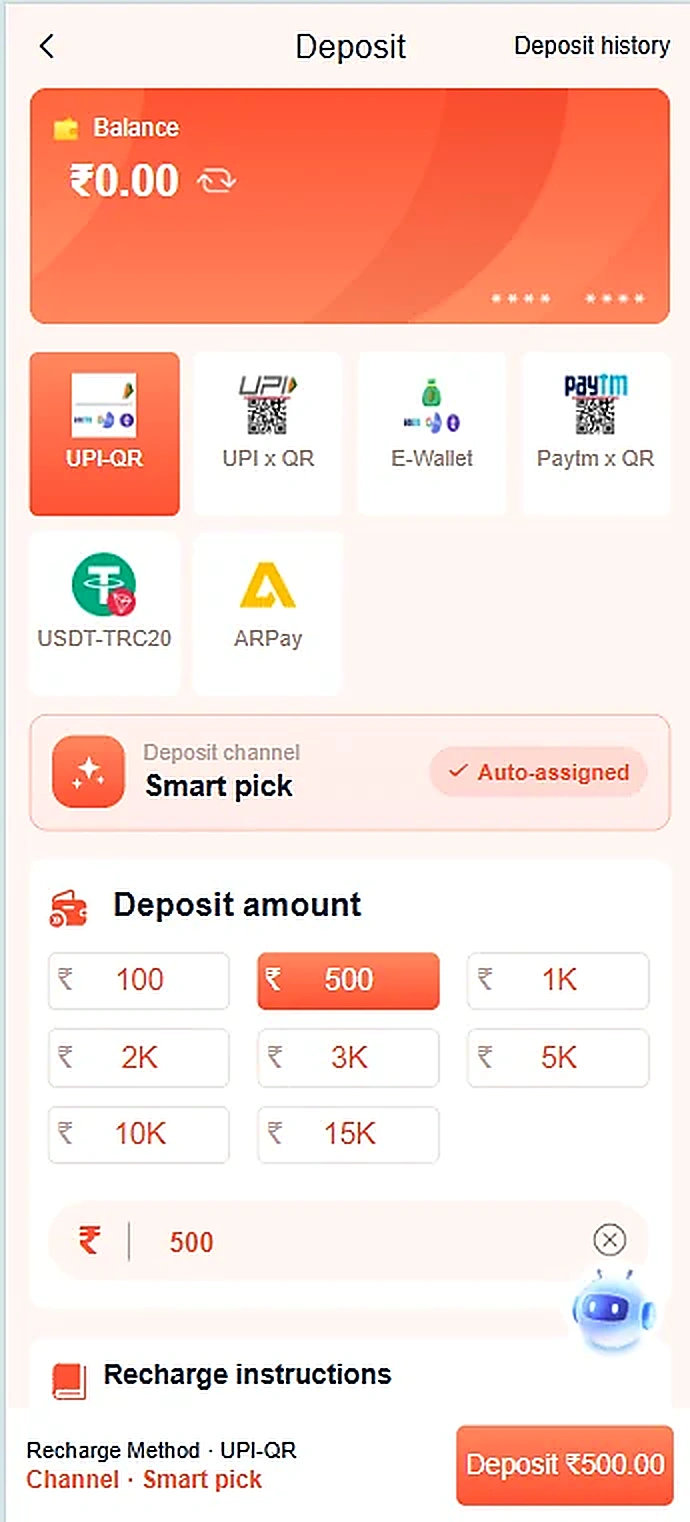
- The Deposit screen shows several payment methods and preset amount choices.
- If you use a payment service, verify the payee identity inside your payment app before proceeding.
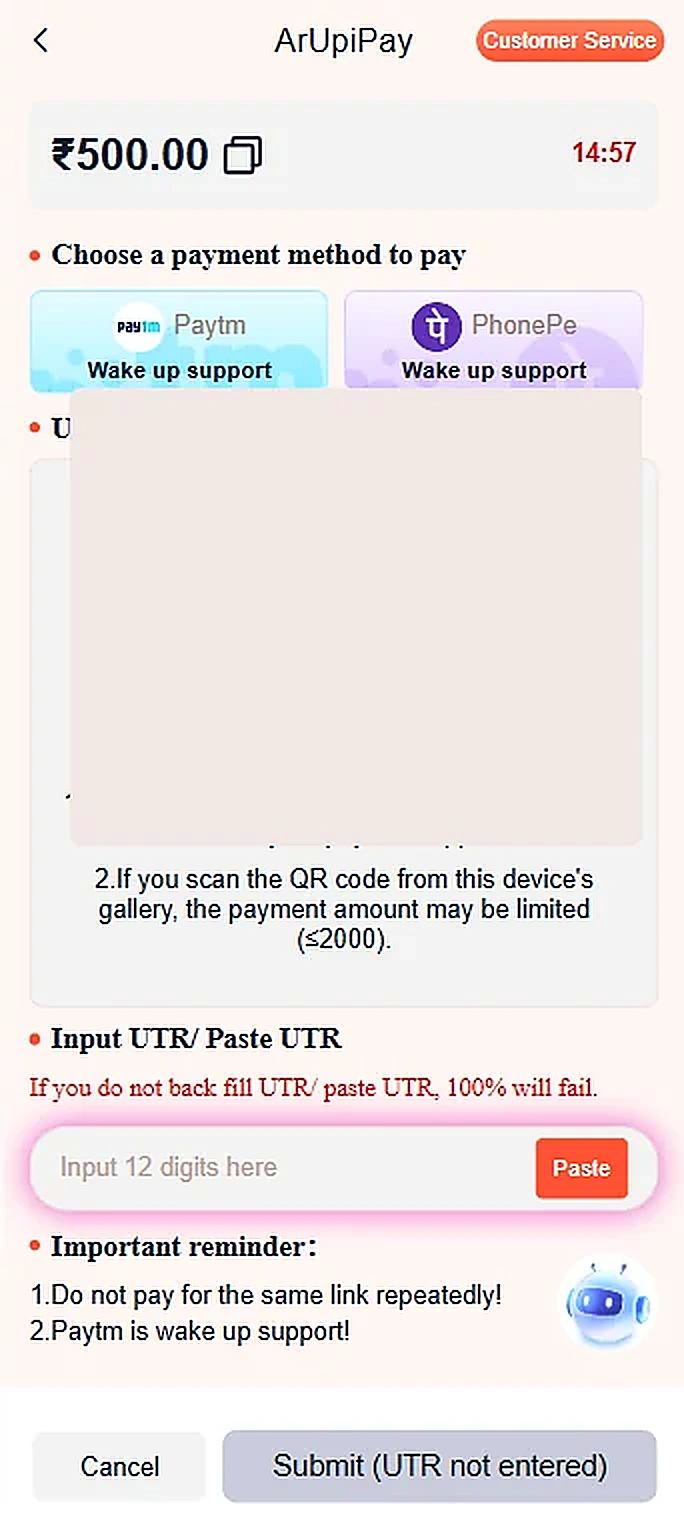
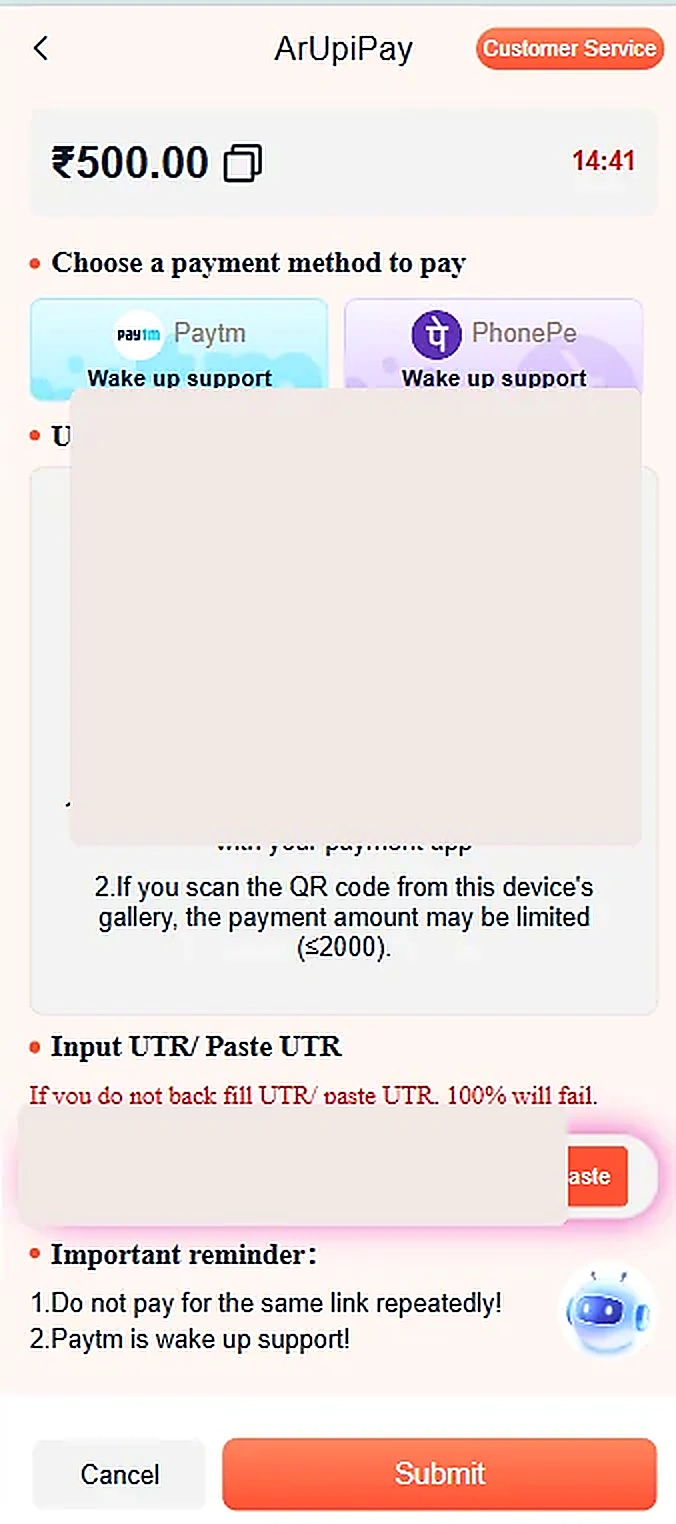
- The example payment screen shows a QR code and a UTR / transaction-reference field; the QR and personal reference have been removed from the images.
- Keep the payment confirmation from your bank or payment provider and do not pay the same link repeatedly.
Important information
Payment screens may be time-limited or change. This informational website cannot validate payment recipients or process transactions.
Reference screenshots
Screenshots are examples supplied for this guide. Sensitive personal information and payment references are removed.